Make old videos sharp.
Local Video Upscaler is an AI video upscaler and enhancer that runs on your device.
Upscale family clips, old phone videos, and anything low-res to HD or 4K. It all happens on your device. The audio stays exactly as it was, and there's no length limit.
One-time purchase · No subscription · No account
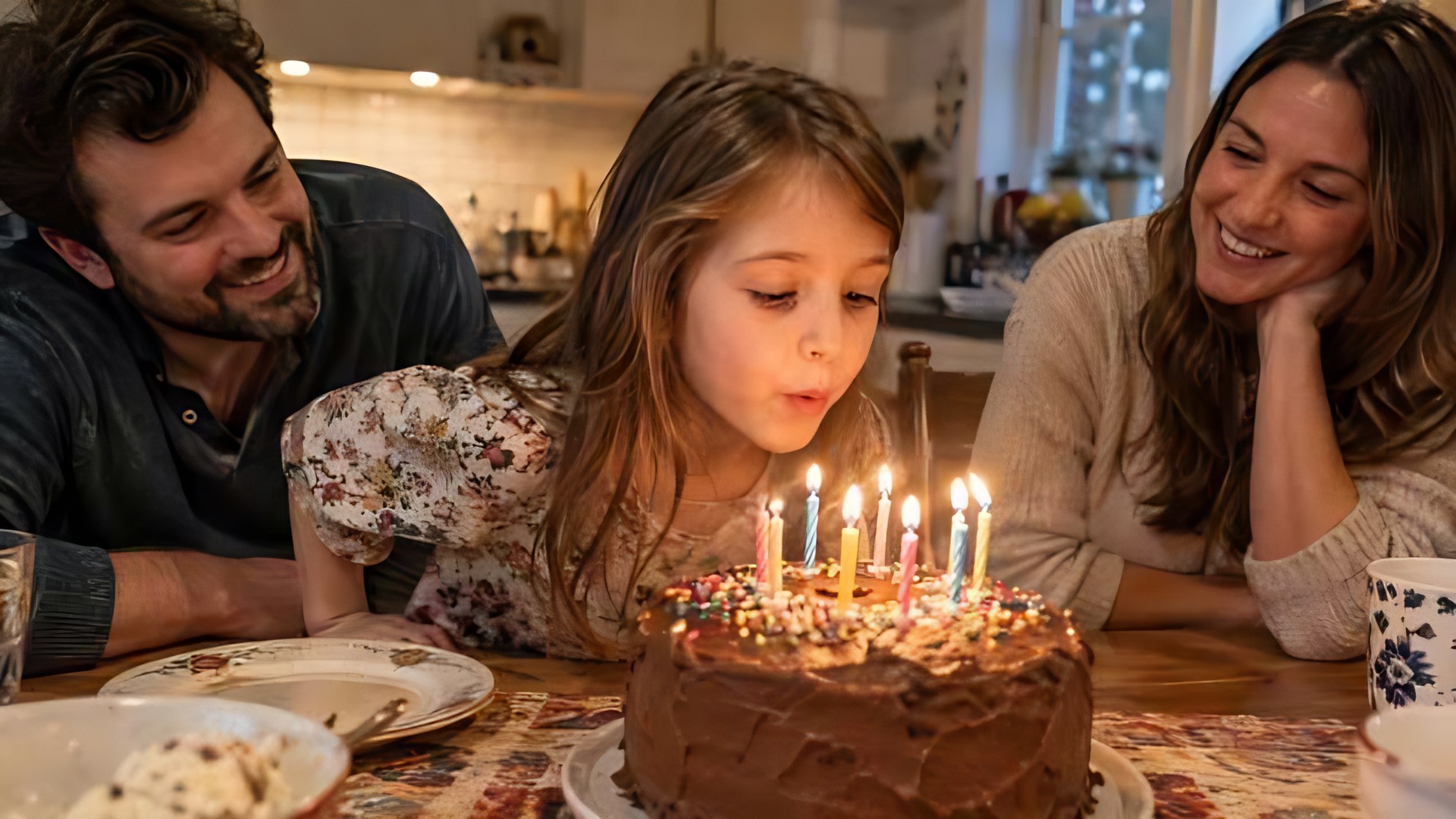
 Original
Upscaled
Original
Upscaled
A real result from the app: a compressed 360p frame upscaled 4× with the Natural look. Drag to compare.
Built for the videos you can't reshoot.
Birthday parties from an old phone, grainy camcorder transfers, clips someone sent you that got compressed along the way.
2× or 4×, up to 4K
Choose the output size before you start. Portrait videos stay portrait, and the frame rate stays the same.
See it before you commit
A live before-and-after preview runs on a real frame from your video, so you know what you'll get.
Natural or Clean
Natural keeps skin, hair, and film texture. Clean smooths heavy grain and compression blocks.
Keeps working without you
Queue several videos. On iPhone, leave the app or lock your phone and you'll get a notification when it's done.
Three steps, no settings to learn.
Choose videos
Pick from Photos or Files. On Mac, drop videos onto the window.
Preview and pick a size
Drag across a real upscaled frame, then choose 2× or 4× and a look.
Save a new copy
Save to Photos, share it, or find it in the Files app. Your original is never changed.
Your videos stay yours.
Most video enhancers upload your footage to a server. Local Video Upscaler runs its AI model on your iPhone, iPad, or Mac instead.
- No uploadsVideos are processed on the device you're holding.
- No accountOpen the app and start.
- No ads or trackingThe app doesn't track you across apps or websites.
- No subscriptionBuy once through the App Store.
Good to know
How long does it take?
It depends on the video's resolution and your device. On an iPhone 16 Pro, one minute of 360p video takes about 5 minutes and 480p about 7 to 8 minutes. On an M-series Mac it's much faster: a minute of 720p video takes about 2 minutes on an M5 Max. The app shows an estimate before you start.
Can I use my phone while it works?
Yes. Keep using other apps or lock your phone. Upscaling continues in the background with progress shown by iOS, and you'll get a notification when it's done.
Does it keep the sound?
Yes. The original audio is copied into the new video exactly as it was, so it stays in sync.
Are my videos uploaded?
No. Local Video Upscaler runs its AI model on your iPhone, iPad, or Mac. Videos are never uploaded, and there's no account.
What about HDR videos?
HDR videos are saved in standard dynamic range.
Is my original changed?
No. The app always saves a new copy.
Which devices are supported?
iPhone and iPad with iOS 26 or later, and Macs with Apple silicon running macOS 26 or later.

Local Video Upscaler
From the maker of Local Upscale.